
Mailendy 06-Mailsort
Smart Email Extractor & Lead Cleaner
Upload a messy spreadsheet and instantly extract emails, phone numbers, names, and business contacts — without sending your file to a server.
Use Mailendy’s free Smart Email Extractor to clean contact lists, organize leads, remove duplicates, and prepare your data for email outreach, WhatsApp follow-up, or customer recovery campaigns.
NO UPLOAD IS SAVED ONLINE. Download your work before refreshing or closing your browser.
Drop your lead file here
CSV, XLSX or XLS. Everything runs in your browser — your file is not uploaded.
Upload a file to score your list
We’ll analyze duplicates, valid emails, phones, missing fields, and campaign readiness.
What we found in this file
Upload a file to see your lead quality recommendation.
| Full Name | Business | Phone | City | State | Type | Quality | Notes |
|---|
Check Your Email Subject Line Before You Send
Most business contact lists are messy.
They have duplicate rows, missing names, mixed phone numbers, personal emails, business emails, broken formatting, and columns that are not properly labeled.
Mailendy’s Smart Email Extractor helps you quickly scan your spreadsheet and extract the useful contact data inside it.
You can also download the cleaned result as CSV or Excel.
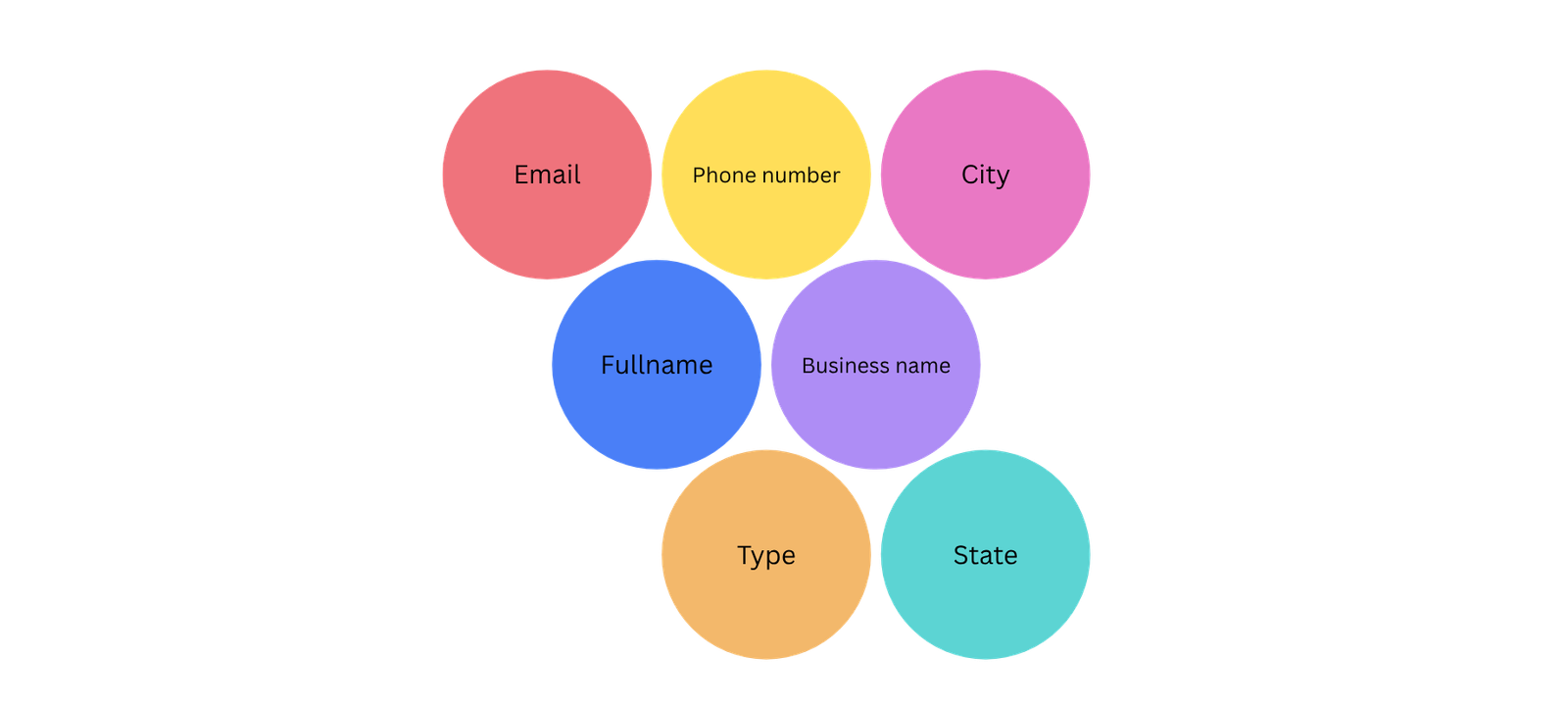
You can extract:
- Emails only
- Phone numbers only
- Full names only
- Business names only
- Full cleaned lead lists
You can also download the cleaned result as CSV or Excel.
What This Tool Does
The Smart Email Extractor reads your CSV, XLS, or XLSX file and detects useful lead information automatically.
It helps you find and organize:
- Business emails
- Personal emails
- Phone numbers
- Full names
- Business Names
- City and state data
- Duplicate Contacts
- Campaign-ready leads
- Overall List Health
- Weak or incomplete records
Our Smart Email Extractor also gives your list a quality score so you can understand whether your data is ready for outreach.
Why Lead List Quality Matters
A bad contact list can damage your outreach before your campaign even starts.
When your list contains invalid emails, duplicate contacts, missing fields, and poorly formatted data, your campaigns become harder to manage.
You may experience:
- Lower response rates
- More bounce emails
- Poor segmentation
- Wasted campaign and marketing efforts
- Weak follow-up performance
- Confusing campaign reports
Clean data gives your campaigns a better foundation.
Before you send emails, build WhatsApp campaigns, or upload contacts into a CRM, your list should be cleaned and organized properly.
How To Use Our Smart Email Extractor
Upload your CSV, XLS, or XLSX file.
Let the tool scan and extract useful contact data.
Review your list health score and Mailendy insight.
Filter the results by emails, phone numbers, names, or businesses.
Copy or download the cleaned data.
All files are processed in your browser. Our Smart Email Extractor does not upload your spreadsheet to Mailendy’s server.
Free Smart Email Extractor Best For
This free tool is useful for:
- Sales teams
- Small businesses
- Agencies
- Recruiters
- Local businesses
- Cleaning companies
- Real estate teams
- B2B service providers
- Cold outreach teams
- Customer recovery campaigns
- WhatsApp follow-up lists

If you have a spreadsheet full of contacts and you need to make it usable, this Free Smart Email Extractorhelps you get started quickly.
What Makes It Different
This is not just a basic email extractor.
Mailendy’s 06-mailsort smart email extractor helps you understand the quality of your list before you use it.
It can identify useful contacts, weak records, duplicates, personal emails, business emails, and campaign-ready contacts.
That means you do not just get extracted emails.
You get a clearer view of whether your list is ready for serious outreach.
Need A Full Contact List Cleaned Properly?
The free tool helps you extract and organize your contact data.
But if you want your full list cleaned, verified, segmented, and prepared for outreach, Mailendy can help.

We can help you:
- Clean messy contact lists
- Remove duplicates
- Organize names and business fields
- Segment business and personal contacts
- Prepare lists for email campaigns
- Prepare lists for WhatsApp campaigns
- Build outreach sequences
- Set up cold email infrastructure
- Improve deliverability before sending
Frequently Asked Questions
Does Mailendy upload my file to a server?
No. The tool processes your file inside your browser. Your spreadsheet is not uploaded to Mailendy’s server.
Can I extract phone numbers too?
Yes. You can filter your results by emails only, phone numbers only, full names only, business names only, or the full cleaned list.
Can this smart email extractor verify if emails are real?
The tool checks email format and list quality, but it does not perform full SMTP or inbox verification. For deeper verification, Mailendy can help clean and validate your full list.
What does the list health score mean?
The list health score gives you a quick idea of how usable your contact list is based on available emails, phone numbers, business names, duplicates, and incomplete records.
Can Mailendy clean my full list for outreach?
Yes. Mailendy can clean, segment, verify, and prepare your list for email outreach, WhatsApp follow-up, customer recovery campaigns, and CRM upload.
Build Better Campaigns With Cleaner Data
Your outreach is only as strong as the data behind it.
Use the free Smart Email Extractor to clean your list, understand your lead quality, and prepare your contacts for better communication.
Then, when you are ready, Mailendy can help you turn that list into a working revenue system.
More Free Tools
Email Subject Line Tester
Score your email subject line for clarity, mobile friendliness, spam risk, curiosity, urgency, and campaign readiness.
Lost Revenue Calculator
Estimate how much revenue your business may be losing from missed follow-ups, inactive customers, weak retention, and poor automation.
Domain deliverability checker
Check your email domain for SPF, DMARC, MX records, domain readiness, and basic deliverability risks before sending campaigns.